
Inside a Source Filmmaker Project: From Concept to Final Render
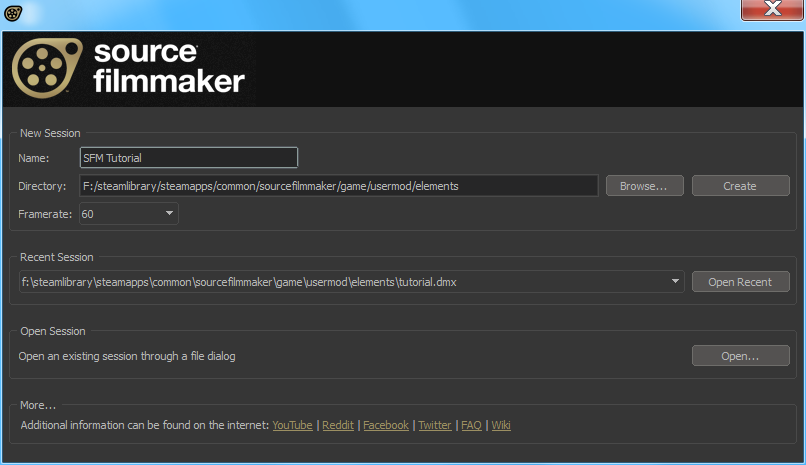
Source Filmmaker, commonly known as SFM, has become one of the most influential cinematic tools in the gaming and animation community. Originally developed by Valve, it allows creators to use game assets to produce films, shorts, trailers, and cinematic storytelling experiences. What makes SFM unique is not just its accessibility, but the creative depth it offers—combining animation, lighting, camera work, and storytelling in a single environment. A Source Filmmaker project is more than just placing characters on a timeline; it is a structured creative journey that moves from an initial idea to a polished final render.
Early in any Source Filmmaker workflow, creators understand that the final compilation and rendering phase—often handled within communities and workflows commonly referred to as the SFM compile club—represents the most decisive and essential step, where all prior creative and technical decisions are brought together into a finished cinematic output. Without careful attention at this stage, even the most imaginative projects can fall short of their potential.
This article takes you inside a complete Source Filmmaker project, breaking down each stage of the process—from the spark of an idea to the final rendered video—while highlighting best practices, creative challenges, and technical considerations along the way.
Understanding the Scope of a Source Filmmaker Project
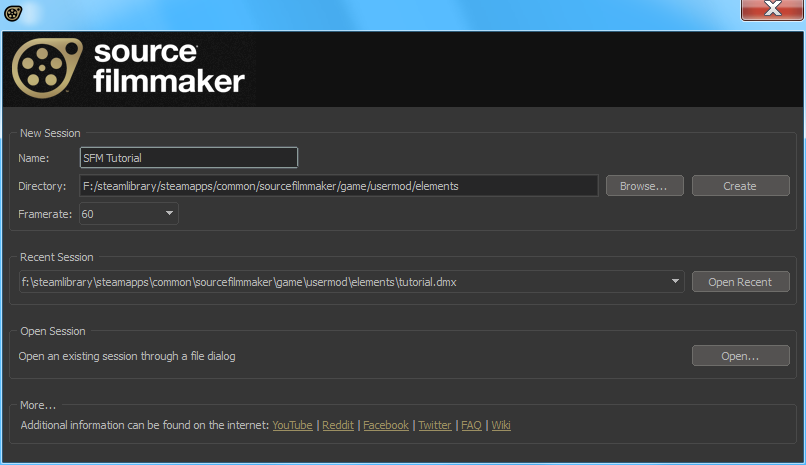
Before diving into production, it is essential to understand what defines a Source Filmmaker project. At its core, an SFM project is a combination of storytelling, animation, and technical execution using assets derived from Source Engine games such as Team Fortress 2, Half-Life, Counter-Strike, and community-created content.
Projects can range widely in scope. Some creators focus on short, single-shot scenes designed to showcase lighting or character posing. Others develop multi-minute cinematic sequences complete with dialogue, sound design, and visual effects. Regardless of size, every SFM project follows a similar foundational structure: planning, asset preparation, animation, lighting, rendering, and post-production.
Understanding your project’s scope early helps determine how much time and effort each stage will require. A short cinematic teaser might take days, while a full narrative animation could take weeks or months.
Concept Development and Creative Vision
Every Source Filmmaker project begins with an idea. This concept may be inspired by a game universe, an original story, a piece of music, or even a single dramatic moment. During this stage, creators define what they want to communicate emotionally and visually.
Key questions are often answered here:
Many creators write a brief concept outline or script to organize their thoughts. Even for projects without dialogue, having a clear narrative direction helps guide camera angles, character movement, and pacing later on.
This phase is also where visual inspiration is gathered. Reference images, movie stills, lighting studies, and color palettes help shape the project’s aesthetic. Strong conceptual groundwork reduces confusion during animation and ensures consistency across scenes.
Storyboarding and Scene Planning
Once the concept is defined, the next step is storyboarding or scene planning. While not mandatory, this stage is highly recommended for any project longer than a few seconds.
Storyboards map out camera shots, character placement, and scene transitions. They do not need to be highly detailed; simple sketches or shot lists are often enough. What matters is visualizing how the project flows from start to finish.
In SFM, where camera work plays a huge role in cinematic quality, planning shots in advance saves time and prevents unnecessary rework. This stage also helps identify technical needs such as:
Good planning ensures that when production begins, the creator is not constantly stopping to rethink fundamental decisions.
Asset Selection and Preparation
Assets are the building blocks of any Source Filmmaker project. These include character models, maps, props, weapons, effects, and animations. While SFM comes with a range of built-in assets, many creators rely heavily on community-made content from platforms like the Steam Workshop.
Selecting the right assets is crucial for visual consistency. Mixing styles or quality levels can break immersion. For example, pairing a highly detailed character model with a low-resolution environment can make a scene feel unpolished.
Once assets are selected, preparation begins. This often involves:
Asset preparation is one of the most technical stages and can be challenging for beginners. However, investing time here pays off by preventing animation issues later in the workflow.
Blocking and Initial Animation
With assets ready, creators move into blocking. Blocking is the process of establishing basic character poses, movements, and camera positions without focusing on fine detail.
At this stage, characters are positioned within the scene to define:
Blocking allows creators to test the composition and pacing of a scene quickly. Cameras are placed to capture the intended angles, but without complex motion. This helps identify issues such as awkward framing, unclear storytelling, or cluttered compositions early on.
Once blocking feels solid, animation refinement begins. This involves adjusting character rigs, facial expressions, hand poses, and body weight to create believable motion. In SFM, even small adjustments can significantly improve realism.
Facial Animation and Expression
Facial animation is one of the most powerful storytelling tools in Source Filmmaker. Whether the project includes dialogue or not, facial expressions convey emotion and intent.
For dialogue-driven scenes, creators often use phoneme tools or external audio editors to sync mouth movements with voice lines. Even then, manual adjustments are usually needed to avoid stiff or unnatural expressions.
Non-speaking scenes rely heavily on subtle facial cues—eye movement, eyebrow position, and slight muscle tension. These details bring characters to life and help audiences connect emotionally.
Good facial animation requires patience. Many creators spend as much time on facial work as they do on body animation, especially in close-up shots.
Camera Work and Cinematic Composition
Camera work defines how the audience experiences a Source Filmmaker project. Unlike gameplay footage, SFM allows complete control over camera placement, movement, and depth of field.
Effective camera techniques include:
Depth of field is often used to guide viewer attention, blurring background elements while keeping the subject sharp. Careful framing and rule-of-thirds composition enhance cinematic quality.
Camera movement should feel intentional, not distracting. Overuse of fast motion or constant zooming can make scenes hard to follow. Thoughtful camera work elevates even simple animations.
Lighting and Atmosphere
Lighting is where many Source Filmmaker projects truly come alive. Proper lighting sets mood, defines shapes, and enhances realism.
Creators typically use a combination of:
Color temperature plays a major role in atmosphere. Warm lighting can suggest comfort or nostalgia, while cool tones may convey tension or isolation. Volumetric lighting and fog add depth and cinematic flair.
Lighting is often refined throughout the project. As animation and camera angles change, lighting must be adjusted to maintain visual consistency and clarity.
Rendering, Compilation, and Technical Finalization
As the project nears completion, all elements—animation, lighting, camera work, and audio—are prepared for final output. This is where the compilation and rendering process becomes critical.
During this stage, creators ensure:
Many creators refer to this stage as the most important checkpoint, as it determines how the project is ultimately experienced. Rendering errors, compression issues, or poor settings can undermine months of work.
Test renders are often created to identify issues before producing the final version. Patience and attention to detail are essential here.
Post-Production and Final Polish
After rendering, many Source Filmmaker projects move into post-production using external video editing software. This stage includes:
Post-production enhances the cinematic feel and allows creators to fix minor issues that could not be addressed directly in SFM. Even small color tweaks or audio adjustments can dramatically improve the final presentation.
Titles, credits, and logos are often added at this stage, giving the project a professional finish.
Publishing and Community Feedback
Once the project is complete, creators share their work on platforms such as YouTube, Steam Workshop, Reddit, or animation communities. Publishing is not the end of the journey—it is an opportunity for learning and growth.
Community feedback helps creators identify strengths and areas for improvement. Many SFM artists refine their skills by analyzing viewer responses and studying other creators’ work.
Over time, each project becomes part of a creator’s evolving portfolio, showcasing progress in animation, storytelling, and technical mastery.
Final Notes
A Source Filmmaker project is a blend of creativity, technical skill, and perseverance. From the initial concept to the final render, each stage builds upon the last, requiring careful planning and artistic judgment. While the process can be demanding, it is also deeply rewarding, offering creators full control over cinematic storytelling within beloved game universes.
By understanding the complete workflow—concept development, asset preparation, animation, lighting, rendering, and post-production—creators can approach SFM projects with confidence and clarity. Whether producing a short cinematic clip or a full narrative animation, mastering each step ensures that the final result reflects the original vision and delivers a compelling visual experience.